Students, staff, attendance, fees and expenses on one live screen.
- Live charts
- Session financials
- Quick actions
- Learn more


MySchoolOS™ is a complete cloud school ERP made in India for schools worldwide: admissions, fees, attendance, exams, transport, staff and parent communication in one platform.
MySchoolOS™ is a complete cloud school ERP, made in India for schools across the nation and around the world. It runs admissions, fees, attendance, exams, transport, staff payroll, gate security and parent communication in one platform, for one campus or many, with an AI Assistant and a Risk Center that point you to what needs attention.
Schools use it to move admissions, student records, attendance, exams, fees, staff, transport, gate security and parent communication out of registers and spreadsheets and into one system, with every role seeing only what it needs.
The AI Assistant answers questions on fees, attendance, marks, staff and transport in seconds.


The Risk Center shows red, yellow and green so you know where to look first.
Online payment, payment links, reminders and follow-up notes in one place.
Compare campuses side by side while each campus keeps its own data.
Owners, teachers, parents, accountants, gate staff and transport managers each get their own screen.
The MySchoolOS™ AI Assistant works from your own school’s data. Ask one question in plain language and get the answer without opening ten screens. It also guides your team through any task inside MySchoolOS™.
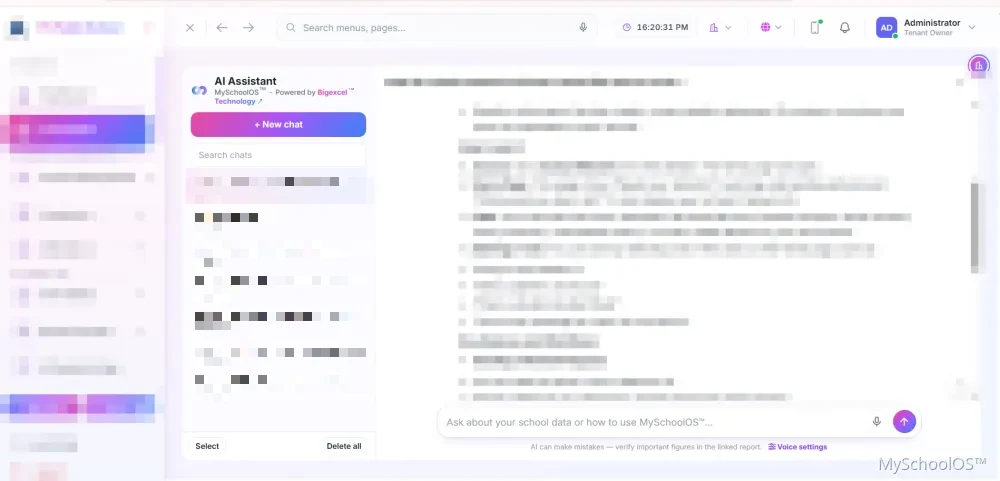
Real MySchoolOS™ screen, with school details hidden. Answers come from your own school’s data and depend on your plan.
20 modules that work together, so data is entered once and used everywhere. Open any module to see what it covers.
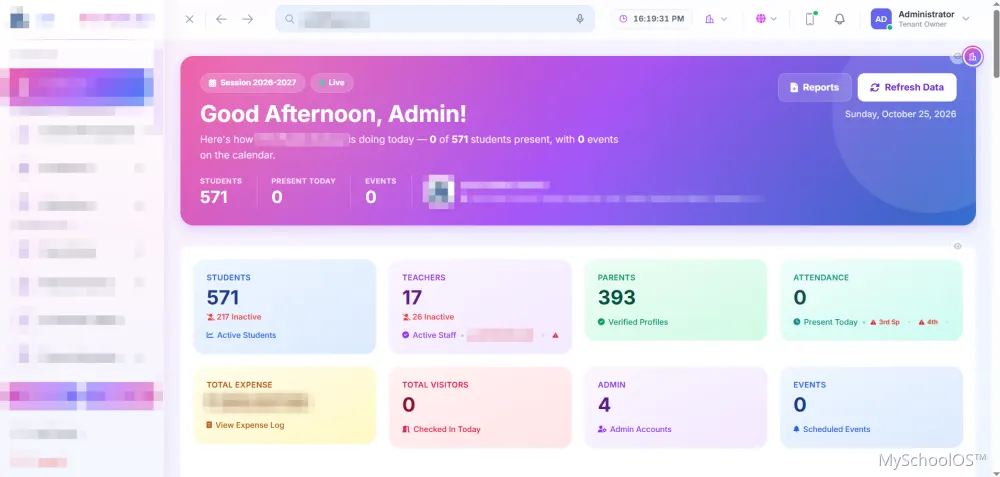
Students, staff, attendance, fees and expenses on one live screen.
Track every enquiry and move it to a completed admission.
One complete profile for every student, from admission to alumni.
Classes, timetable, homework, syllabus and the academic calendar.
Digital attendance for students and staff, with reports.
Exams, marks entry, grading, marksheets and result analysis.
Ask your school a question, by typing or by voice.
Invoices, online payment, receipts, follow-ups and school accounts.
Staff records, leave, payroll and salary slips.
Vehicles, routes, drivers, bus fees and live tracking.
Know who comes in and who leaves, with a record of it.
Reach parents and staff by SMS, email and app alerts.
Issue certificates in a click, with a record of each one.
Student and staff documents in one secure place.
A traffic-light view that shows where to act first.
Reports across students, attendance, fees, staff and academics.
Run several campuses from one login, with separate data.
Every person sees only what their role allows.
A ready public page, your branding and a guided setup.
Built-in help, a support desk and plans that fit your school.
Real screens from a live MySchoolOS™ school. Names, contact details and school identity are hidden.
Dashboard. Students, teachers, parents, attendance, expenses and visitors at a glance, with quick access to reports.

Risk Center. A traffic-light early-warning view that shows you where to look first.
AI Assistant. Ask in plain language or by voice, keep a searchable chat history and get guided through any task.
Administrators, teachers, parents, accountants, gate staff and transport managers each get their own login and see only what they need.
Full control across every module.
Own classes, attendance, marks, homework, timetable, leave and salary slips.
Attendance, results, homework, fees, online payment and bus location for every child.
Fee collection, invoices, receipts, income and expense.
A simple console for visitors, early exits and incidents.
Vehicles, routes, drivers, compliance reminders and the live map.
A guided setup with the data you already have.
We show MySchoolOS™ on your own workflow and agree the modules and plan that fit your school.
A guided setup creates your school, classes, sessions, fee structure and branding.
Students and staff come in through bulk import with an error report, and your team is shown how each role works.
Install the app on phones and desktops, raise tickets from inside the product, and add modules as you grow.
See how a school ERP compares with spreadsheets and paper registers and how to switch in five steps, or look at what MySchoolOS™ does for each role.